반응형
- Model names are imported from assemblies, parts, and drawings.
- An error occurs if there is no model that has been denatured.
- Creo and VBA connections use modules.
Excel VBA has a concept called a module. A module is the basic unit that organizes a project in VBA.
It is also expressed as a set of procedures. A procedure is a set of code to execute a specific function.
▷ CREO VBA Start module file location
connection to Creo
The script establishes a connection to Creo, accesses the current model, and checks if there is an active model loaded in the session.▷CodeOption ExplicitPublic asynconn As New pfcls.CCpfcAsyncConnectionPublic conn As pfcls.IpfcAsyncConnectionPublic Base
tool-2020.tistory.com
Please do not use "ipfc.solid" in the above code. If you use it, you will not be able to connect to the drawing file.
▷ Main Code
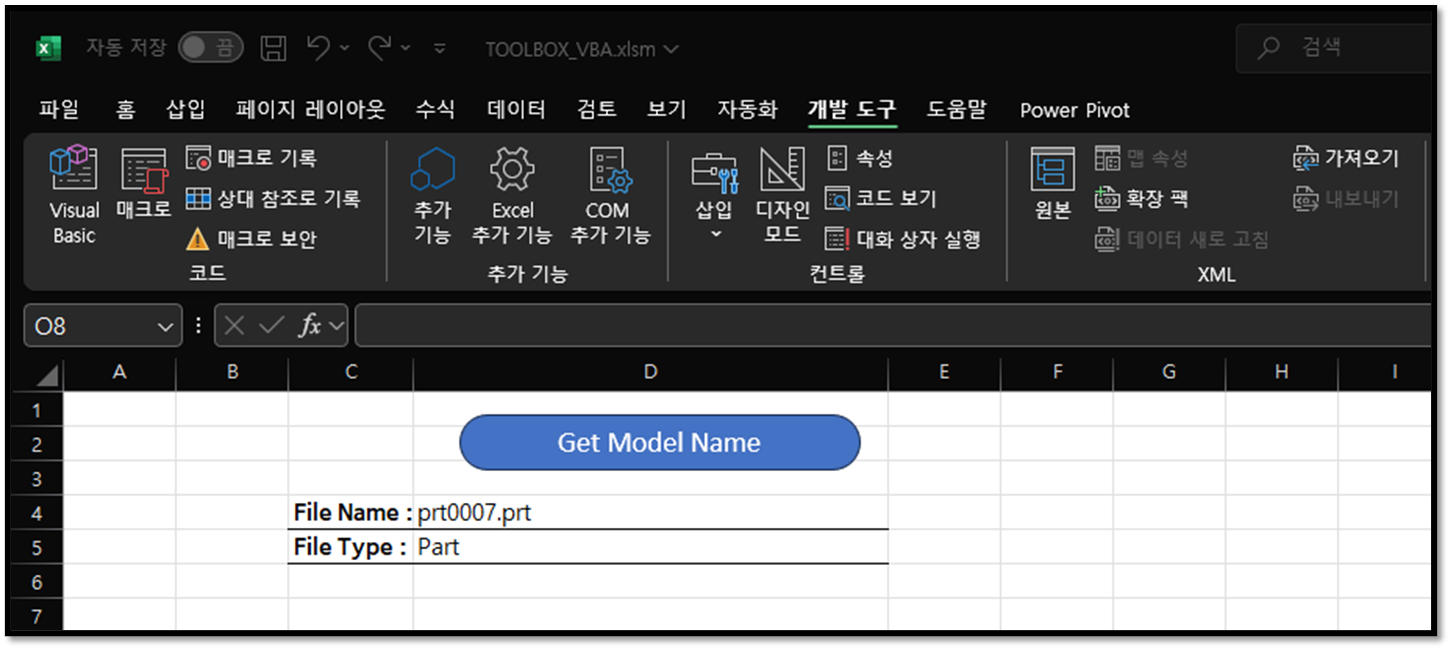
- Get the name and type of the model
- "ctrl+a" key sets current Windows as the active model
Option Explicit
Sub getbame01()
    On Error GoTo RunError

    '// Module Name : CreoVBAStart
    Call CreoVBAStart.CreoConnt01

    Dim Modeltype As String

    If model.Type = 0 Then
             Modeltype = "Assemble"
          ElseIf model.Type = 1 Then
             Modeltype = "Part"
          ElseIf model.Type = 2 Then
             Modeltype = "Drawing"
           Else
             Modeltype = "Check the model"
     End If

    Worksheets("getname").Cells(4, "D").Value = model.fileName
    Worksheets("getname").Cells(5, "D").Value = Modeltype

     MsgBox "Get Model Name", vbInformation, "korealionkk@gmail.com"

    conn.Disconnect (2)

    '// Cleanup
    Set asynconn = Nothing
    Set conn = Nothing
    Set BaseSession = Nothing
    Set model = Nothing

RunError:
            If Err.Number <> 0 Then
                MsgBox "Process Failed: An error occurred." & vbCrLf & _
                       "Error No: " & CStr(Err.Number) & vbCrLf & _
                       "Error Description: " & Err.Description & vbCrLf & _
                       "Error Source: " & Err.Source, vbCritical, "Error"
                If Not conn Is Nothing Then
                    If conn.IsRunning Then
                        conn.Disconnect (2)
                    End If
                End If
            End If

End Sub
enumerated type lists the supported model types. (ipfcmodel.type)
| Number | enumerated type |
| 0 | An assembly. |
| 1 | A part. |
| 2 | A drawing. |
| 3 | 2D_SECTION |
| 4 | A layout. |
| 5 | A drawing format. |
| 6 | A manufacturing model. (MFG) |
| 7 | A report. |
| 8 | A drawing markup. |
| 9 | A diagram. |
| 10 | Not specifying a particular model type |
| 11 | Layout model; NOTE: this type is read-only, passing it back to Creo may lead to unpredictable behavior. |
By korealionkk@gmail.com
반응형
'업무 자동화 > VBA, VB.NET For Creo' 카테고리의 다른 글
| Get the Parameter name of the model and delete it (0) | 2024.09.14 |
|---|---|
| How to set up and configure modules to use the VBA API (0) | 2024.09.11 |
| VBA : 변수 (Variable) (0) | 2024.09.09 |
| VBA 서브 프로시저 (Sub Procedure) (0) | 2024.09.08 |
| Change Creo Model and Get Volume Values (Creo 9.0) (0) | 2024.09.07 |


