업무 자동화/VBA, VB.NET For Creo
VBA : Start Template Code - 두번째
ToolBOX01
2024. 1. 15. 21:56
반응형
□ 개요
VBA 프로그램을 만들때, Creo를 연결하는 코드를 복사하여 사용 합니다.
Option Explicit
Sub sun_name()
    On Error GoTo RunError

    Application.EnableEvents = False

    '// Check if "Program02" worksheet exists
    If Not WorksheetExists("Program02") Then
        MsgBox "Worksheet 'Program02' not found.", vbExclamation, "Error"
        Exit Sub
    End If

    Dim asynconn As New pfcls.CCpfcAsyncConnection
    Dim conn As pfcls.IpfcAsyncConnection
    Dim BaseSession As IpfcBaseSession
    Dim Model As IpfcModel

    '// Check Creo Connect
    Set conn = asynconn.Connect("", "", ".", 5)

    If conn Is Nothing Then
        MsgBox "An error occurred while starting a new Creo Parametric Session", vbInformation, "www.idt21c.com"
        Exit Sub
    End If

    '// Current Model Information
    Worksheets("Program01").Cells(2, "D") = BaseSession.GetCurrentDirectory
    Worksheets("Program01").Cells(3, "D") = model.filename


    conn.Disconnect (2)

    ' Cleanup
    Set asynconn = Nothing
    Set conn = Nothing
    Set BaseSession = Nothing
    Set Model = Nothing

Exit Sub

RunError:
    If Err.Number <> 0 Then
        MsgBox "Process Failed: An error occurred." & vbCrLf & _
               "Error No: " & CStr(Err.Number) & vbCrLf & _
               "Error Description: " & Err.Description & vbCrLf & _
               "Error Source: " & Err.Source, vbCritical, "Error"
        If Not conn Is Nothing Then
            If conn.IsRunning Then
                conn.Disconnect (2)
            End If
        End If
    End If
End Sub
Function WorksheetExists(shtName As String) As Boolean
    On Error Resume Next
    WorksheetExists = Not Worksheets(shtName) Is Nothing
    On Error GoTo 0
End Function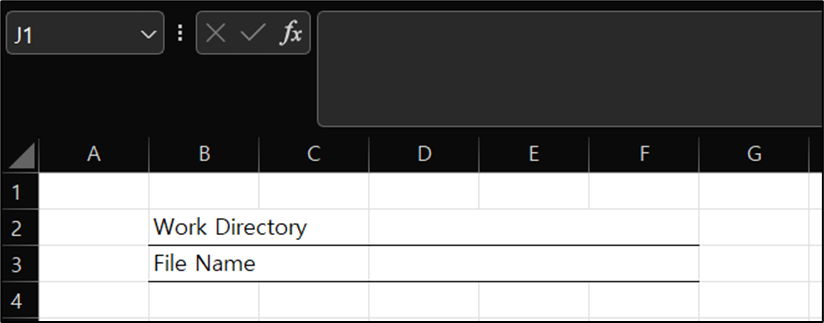
영업문의 : lionkk@idt21c.com
카카오 채널 : http://pf.kakao.com/_fItAxb

반응형